Artwork requirements for digital and offset print. Start with finished size, bleed and source files, then check images, colour and fonts. Textiles, mugs, canvas, binding and special finishes require their own specifications.
File formats and source files
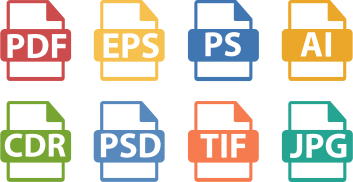
Artwork is accepted in the following formats: *.pdf, *.eps, *.ps, *.ai, *.cdr, *.psd, *.tif, *.jpg
When raster artwork (e.g. JPG) is supplied, the customer is responsible for the image quality.
Size, bleed and safety margins
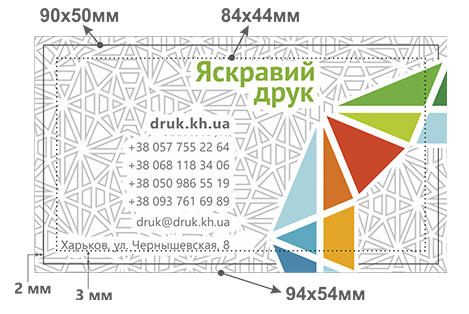
The layout must be at least 4 mm larger than the finished product (2 mm on each side: the background must extend beyond the trim line — no white border).
All significant elements (logos, text, etc.) must be at least 3 mm from the edges of the trimmed format to avoid being cut off.
The print size of a business card is 94×54 mm. The trim size is 90×50 mm. The safe area for logos, text and other elements is 84×44 mm.
Raster images and black text
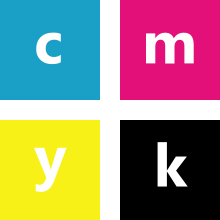
For high-quality raster output the preferred format is *.tif (LZW or ZIP compression) with a resolution of at least 300 dpi but no more than 450 dpi, CMYK colour space. Black text must contain only the black channel: C:0, M:0, Y:0, K:100.
Colour profiles
By default, embedded profiles are ignored for all artwork supplied in CMYK, and the Fogra Coated profile colour space is assumed. For artwork supplied in RGB, embedded profiles are also ignored and the Adobe RGB 1998 profile colour space is assumed. Conversion to the press colour space is performed by the CMM of the Creo CX700i. If artwork is supplied in a colour space described by other profiles, please specify the colour management settings in the order. Colour management is guaranteed only for artwork supplied in Adobe Creative Suite formats (Photoshop, Illustrator, InDesign, Acrobat).
Vector graphics:
- all text must be converted to curves;
- line thickness must be at least 0.1 mm or 0.3 pt; lines and paths must contain no more than 700 nodes;
- raster images must be embedded at 100% size (not linked);
- CorelDRAW files must not contain effects (lenses, shadows, transparency, texture fills, etc.);
IMPORTANT! When publishing files from CorelDRAW X5 (version 15 and later) to PDF, DO NOT embed a COLOUR PROFILE; otherwise you must state in the print order that the file should be printed using the embedded profile;
OVERPRINT settings are sent to print as set in the artwork. BE CAREFUL! A white object with Overprint enabled will be missing from the print.

Personalisation and variable data

Personalisation: for this type of printing, in addition to the main artwork, a variable data database must be supplied in *.xls format (Microsoft Excel).
Press-sheet imposition
If artwork is supplied imposed on a press sheet, the requirements for marking the gripper edge of the sheet must be observed.
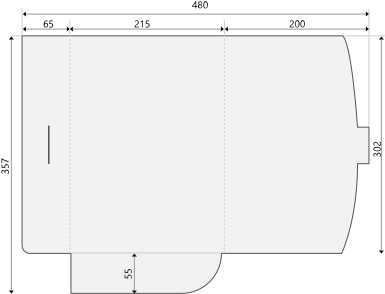
File checks and artwork corrections
Send the file, product, finished dimensions, quantity and operations. Correction scope and cost follow assessment. Agree masks and additional allowances for white toner, clear gloss, contour cutting, folds and binding in advance.
Send a file for review via Telegram.